Chord for photographers

The CRM for photographers that plans around the shoot day.

Chord builds your prep and editing timeline around a fixed shoot day, and holds the final gallery until the balance is paid.

First month of Pro for US$1 with the code TRIAL at checkout · cancel any time

portal · review photos
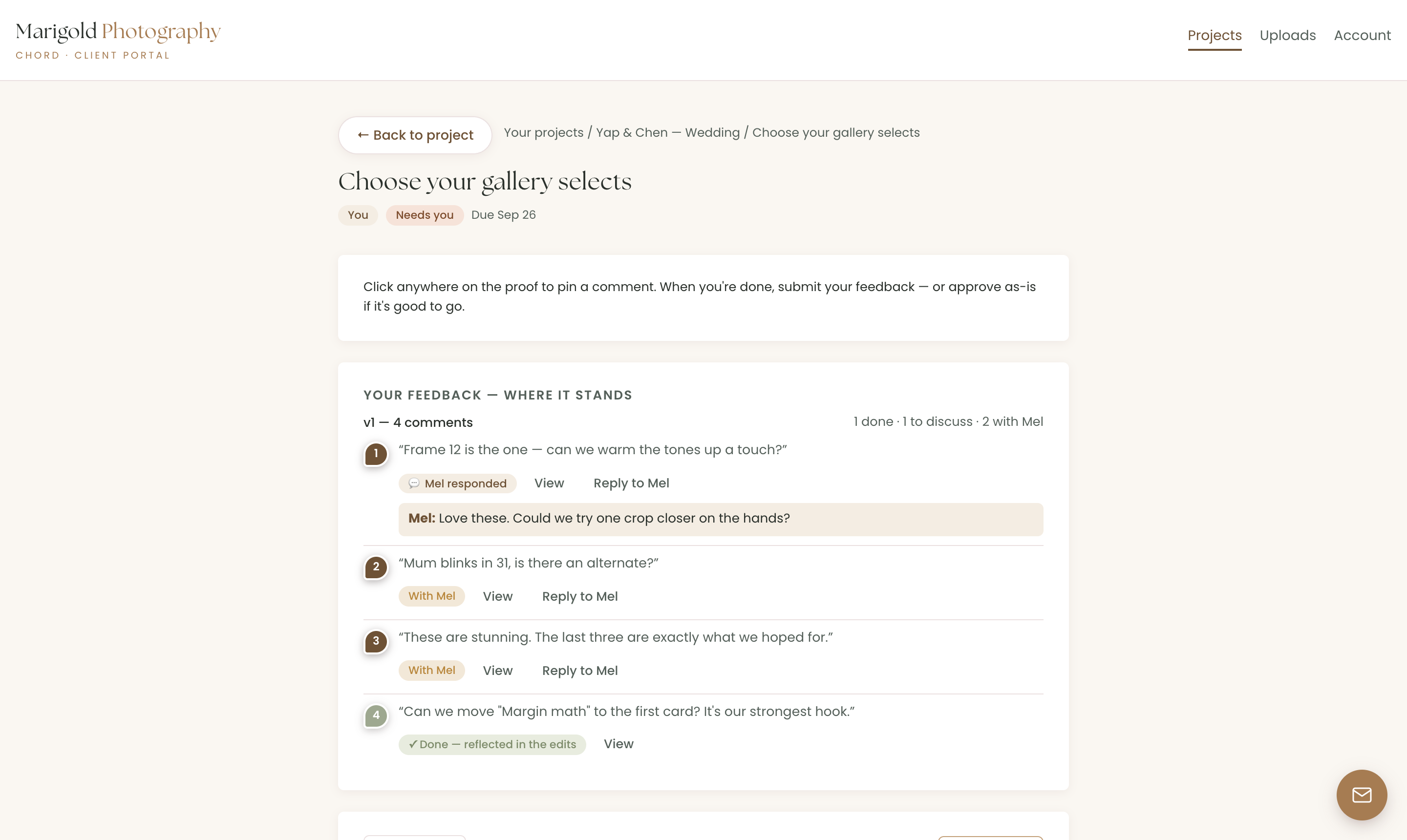
Comments pinned on a photo, with every round on record
01 /

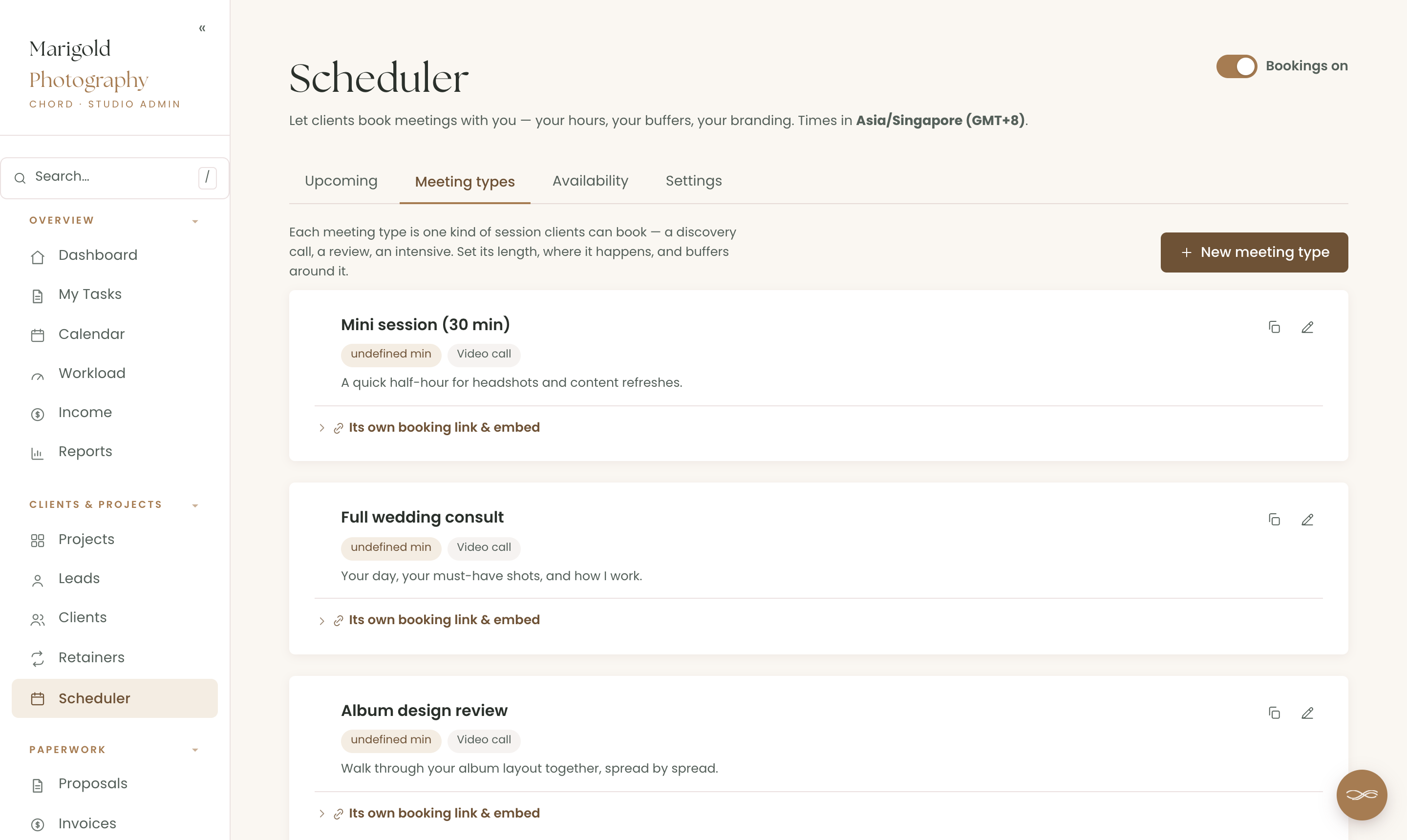
A booking page for every type of session.

Leads want your availability, your prices and a date, fast. In Chord, each type of shoot gets its own booking page, with buffers and a cancellation window.

  • Google Calendar checked for clashes, so nobody books over a shoot
  • A Google Meet link added to each booking automatically
  • Already on Calendly or Acuity? Use those links inside Chord instead
work.yourstudio.com · scheduler
Booking pages for each type of shoot
02 /

The shoot day stays fixed. Everything else plans around it.

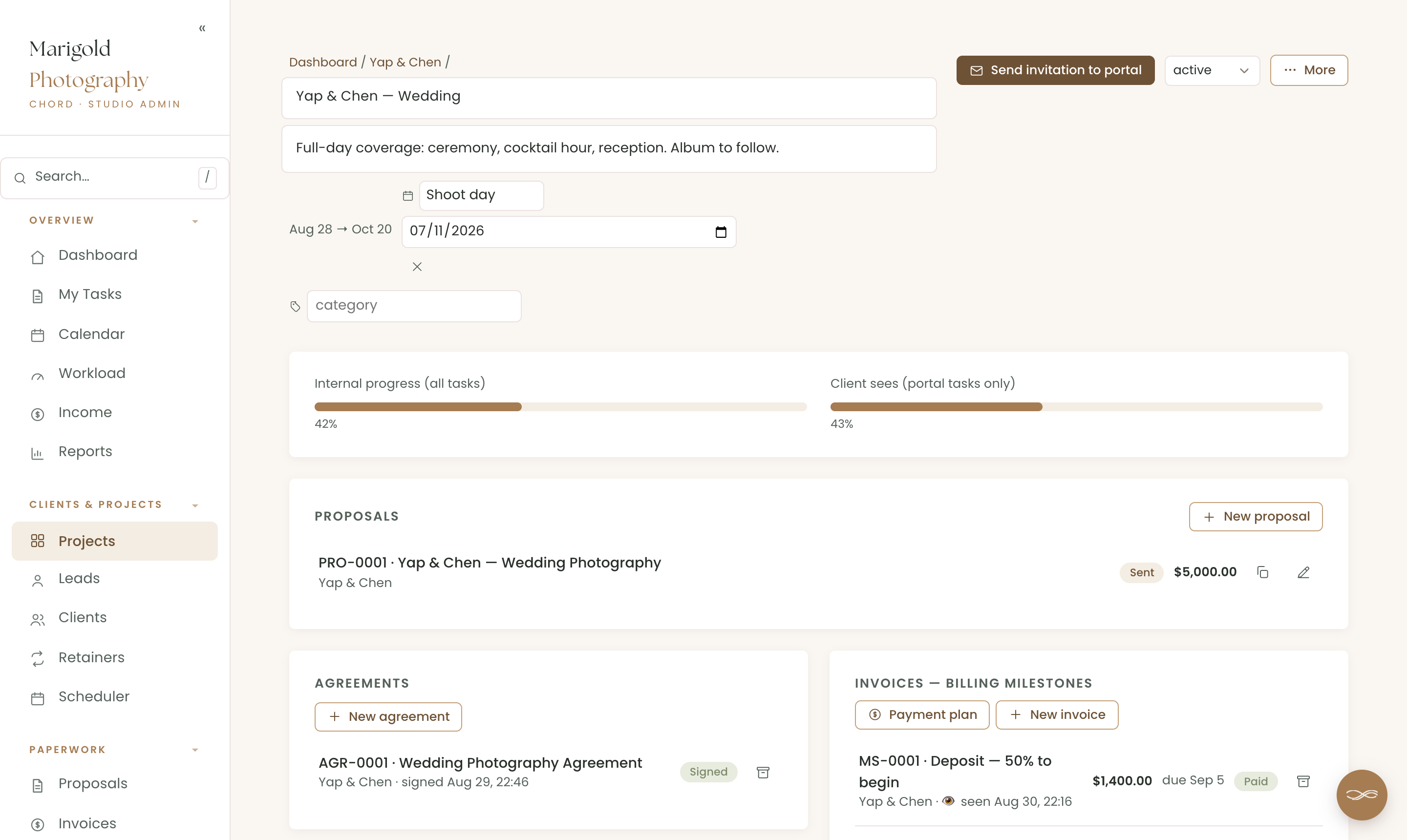
A wedding date can’t move. In Chord, each project has a named key date, such as “Shoot day”, and your task dates are worked out in working days around it.

  • Take a day off and your editing deadlines move, while the shoot day stays put
  • A traffic-light calendar that shows how busy each week is
  • Three weddings in one month? The workload view shows it months ahead
work.yourstudio.com · wedding
A wedding project with the shoot day fixed, the deposit paid and the agreement signed
03 /

Feedback on the photo itself, with every round counted.

“Mum blinked in 31” shouldn’t arrive by text three days later. In Chord, each deliverable gets its own proofing cycle, from the first-look previews to the album layout.

  • Pinned comments straight onto an image or PDF
  • Galleries in Pic-Time or Pixieset? Your client reviews there and confirms in Chord
  • Extra rounds flagged as possibly billable before the work starts
portal · your decision
The client’s Approve and Request changes buttons, with a note that more changes may be billable
04 /

Payment plans that chase themselves.

A deposit books the date, and the balance is due around delivery. In Chord, you name each milestone, and Chord can send polite reminders until each invoice is paid.

  • Card payments through your own Stripe account, or bank transfer and QR code
  • An “I’ve paid” button for transfers, which you confirm on your dashboard
  • The final gallery held until the last invoice is paid
portal · invoices
A couple’s invoices, showing what’s paid and what’s still due
05 /

A portal as calm as your photographs.

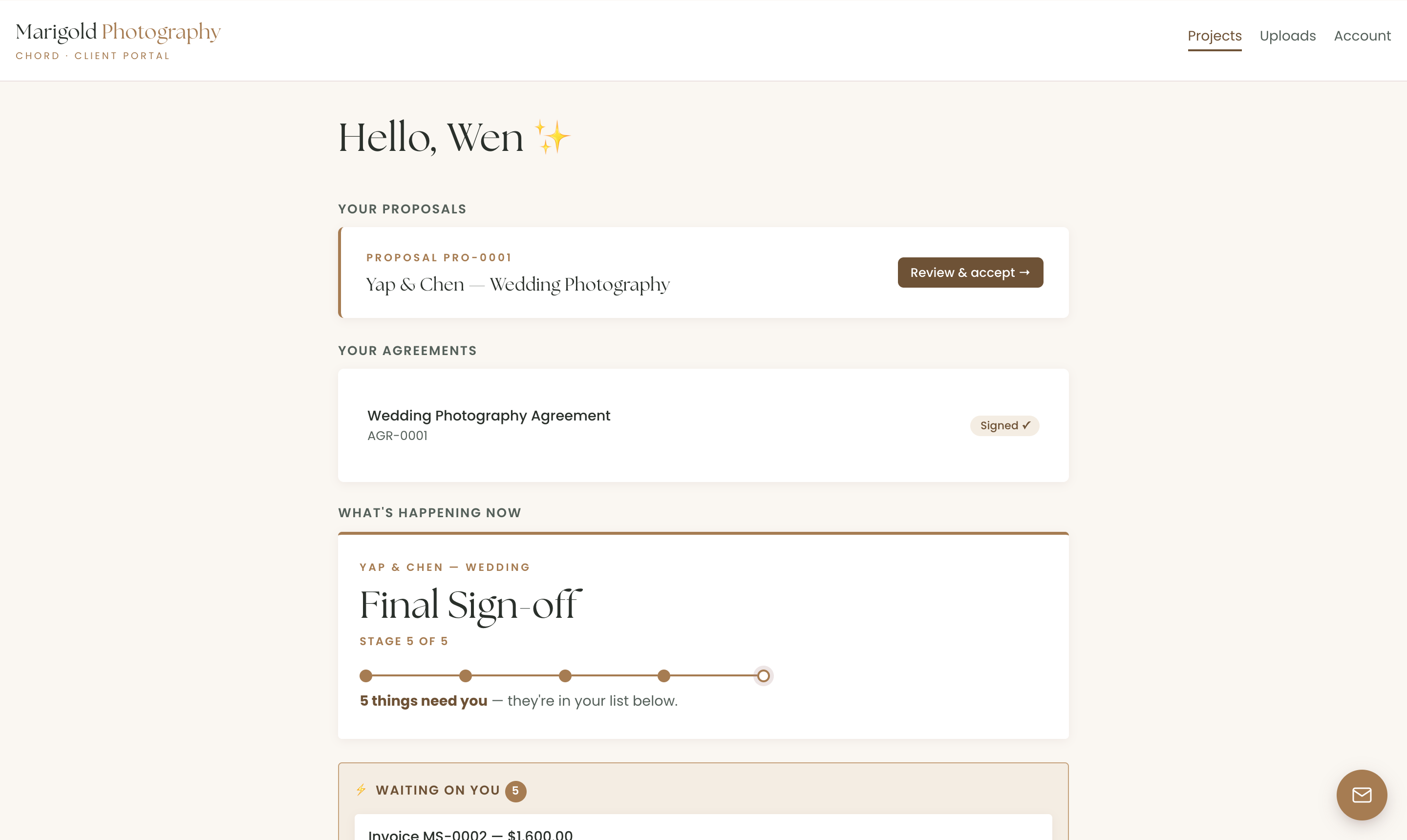
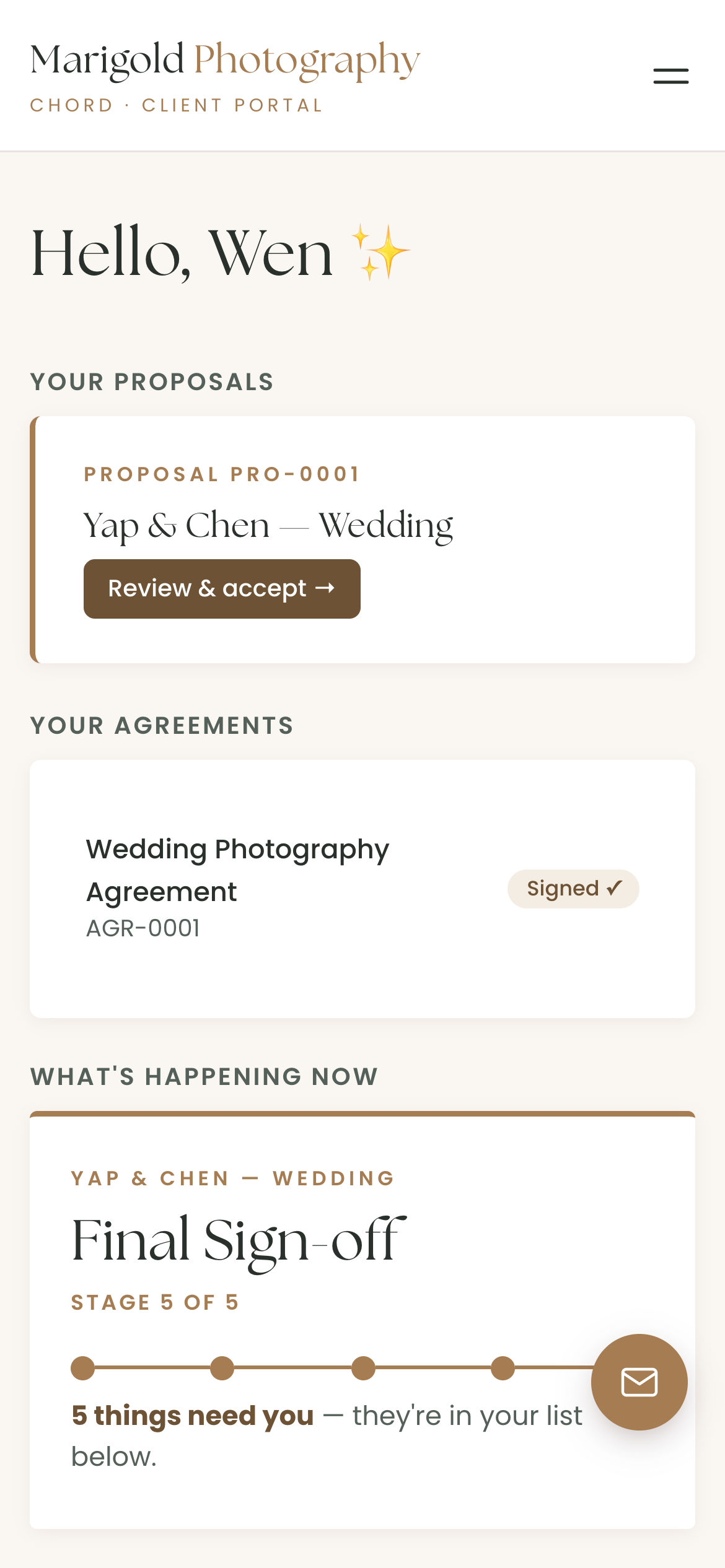
Your clients find the proposal, the timeline and the finished gallery in one branded place, on the phone already in their hand.

  • Your logo and colours on every page
  • A “waiting on you” list, so nothing needs chasing
  • No password, just a one-click link
The client portal on a phone, with the proposal, the timeline and the gallery
Real screen · scroll it
On Pro · Chord + Claude

Get Claude to do the admin work for you.

Connect Chord to Claude and ask about your studio in plain words. Claude reads what’s in Chord and answers in seconds.

Ask what’s happening

  • Where each project is up to
  • Who owes you money, and how much
  • Which clients just commented
  • What a client said in their questionnaire, turned into a starting brief for the project

Let Claude do the first draft

  • Proposals from your own templates
  • Contracts from your contract template
  • Invoices at your package prices

Everything waits in Chord as a draft. You go in, check it and send it yourself.

Claude never emails your clients, and its drafting tools stay off until you switch them on. How to connect Claude

Claude · connected to Chord
Who still owes their balance before the shoot?
Two couples. Amira and Josh owe US$1,800, and their wedding is on 14 March. Sam and Lee owe US$950, due on Friday.
Everything in one place

And the rest of your studio, too.

Chord also runs the paperwork around each client, so you don’t need a second tool for it.

Pricing

Priced for every season of your business.

Starter fits one shoot at a time. Move to Pro in wedding season, and switch back when it’s quiet.

Starter

For one project at a time, or a quieter season.

US$9 / month
  • 1 active project
  • Branded client portal
  • Proposals, contracts & invoices
  • Workload & income view
  • 1 GB file storage for client uploads
Open your studio

First month of Pro for US$1 with the code TRIAL at checkout · Cancel anytime · Prices exclusive of applicable taxes.

Common questions

Questions photographers ask

Does Chord work with Pic-Time or Pixieset?

Yes, alongside them. Add your gallery link to the review. Your client looks at the photos there, then confirms in Chord when they’re done, so every round is counted.

Can clients book a session themselves?

Yes. Each session type gets its own booking page, and Chord checks your Google Calendar for clashes before it shows a time.

Can I take payment by card?

Yes, through your own Stripe account. Clients can also pay by bank transfer or QR code, then tap “I’ve paid” for you to confirm.

Can I hold the gallery until the balance is paid?

Yes. Add your gallery link and tie it to the final invoice. Chord releases it as soon as it’s paid.

Will the portal look like my brand?

Yes, on both plans. Your logo and colours run across the portal, emails, proposals, contracts and invoices.

Do my clients need an account?

They get a branded sign-in link by email that takes them straight into their portal. There’s no password to remember.
Comparing tools?

The best CRM for photographers: 6 things that actually matter

Read the guide
Open now

Open your photography studio today.

Your first month of Pro is US$1 with the code TRIAL at checkout. Cancel any time.

Open your studio

Questions first? Write to hello@withchord.com. A real person reads it.

Open your studio