Chord tracks the hours on every retainer, drafts each month’s invoice for you, and shows clients what’s waiting on them.
First month of Pro for US$1 with the code TRIAL at checkout · cancel any time
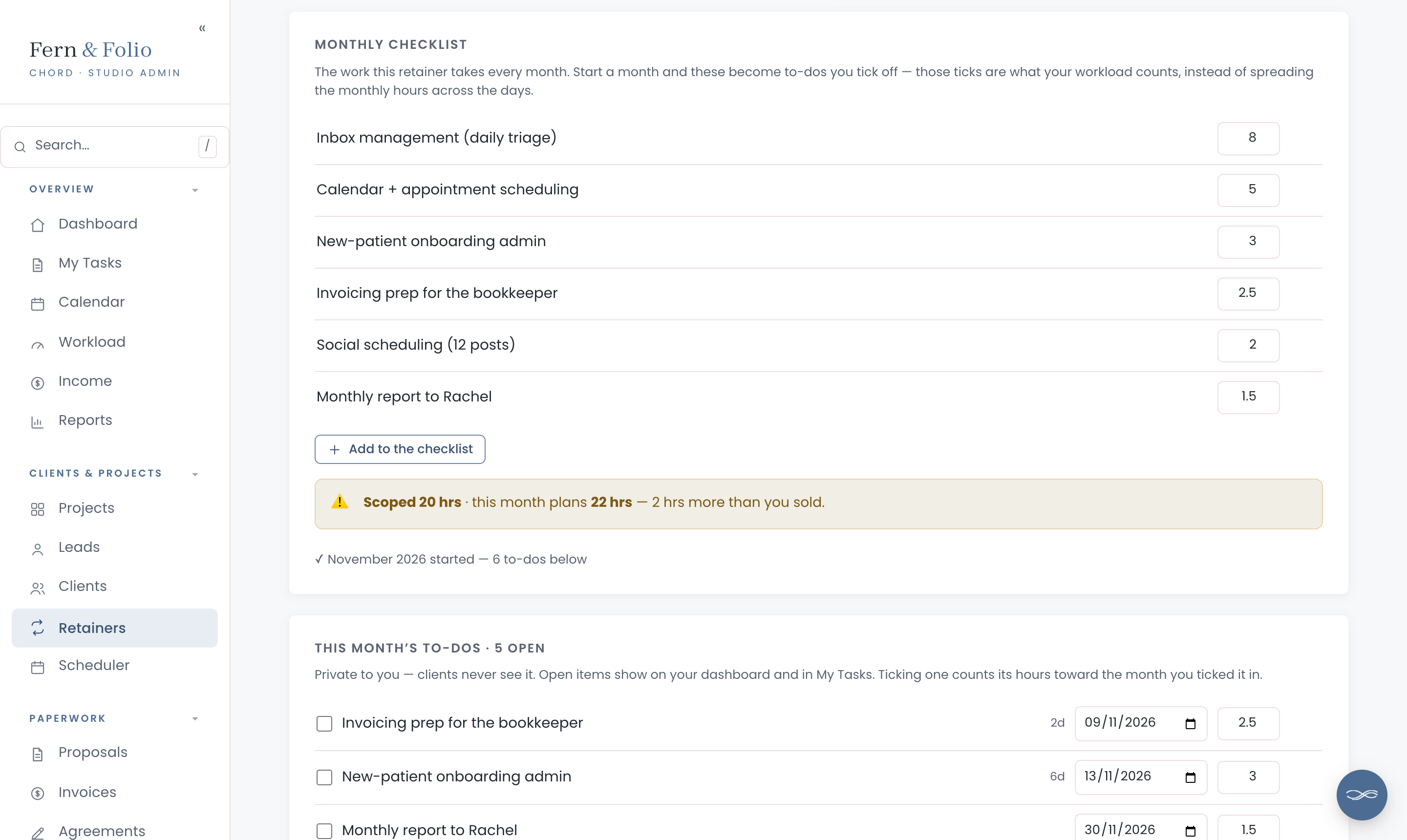
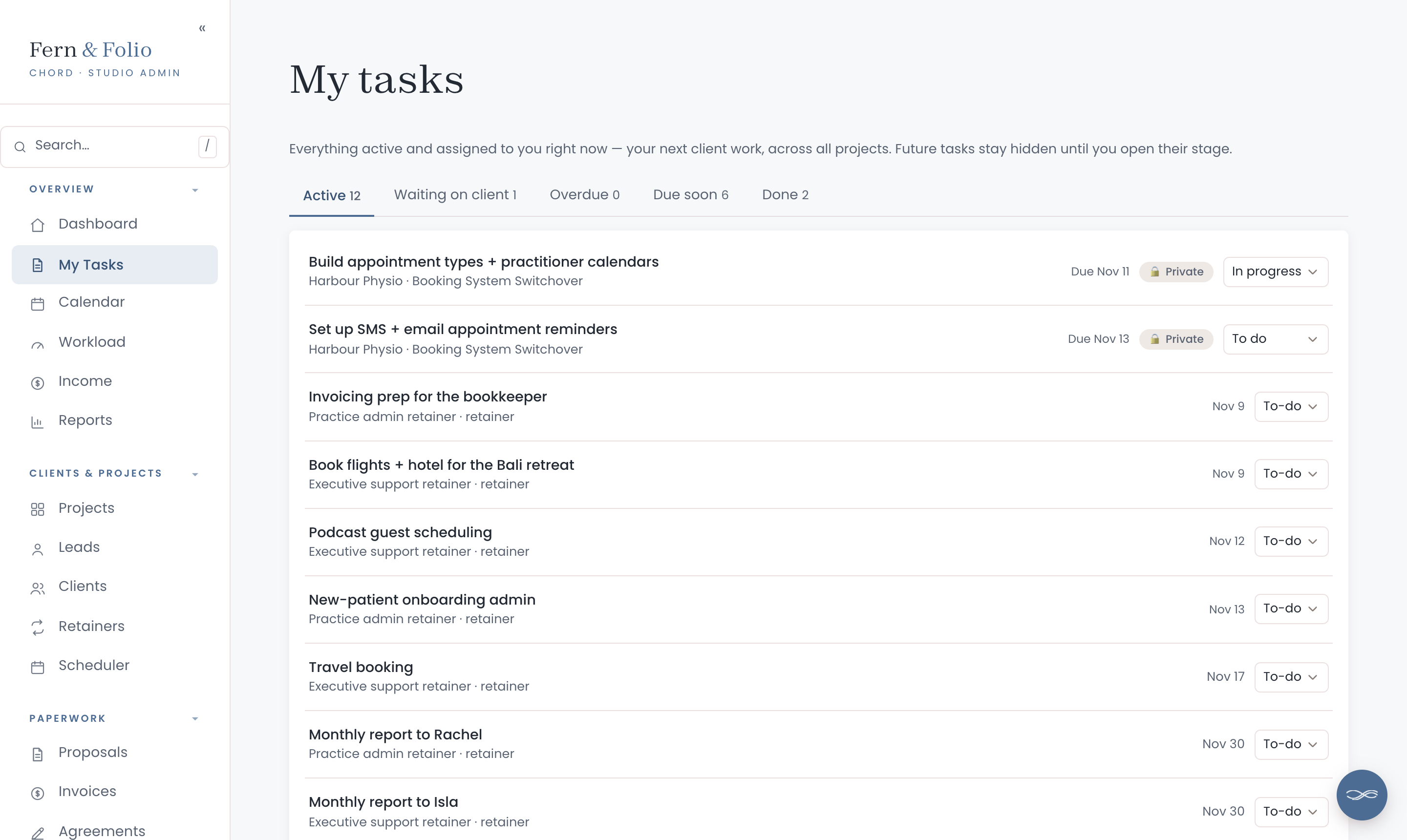
VA retainers grow one small favour at a time. In Chord, each retainer has a monthly checklist, from inbox management to the monthly report, and every item has its hours.

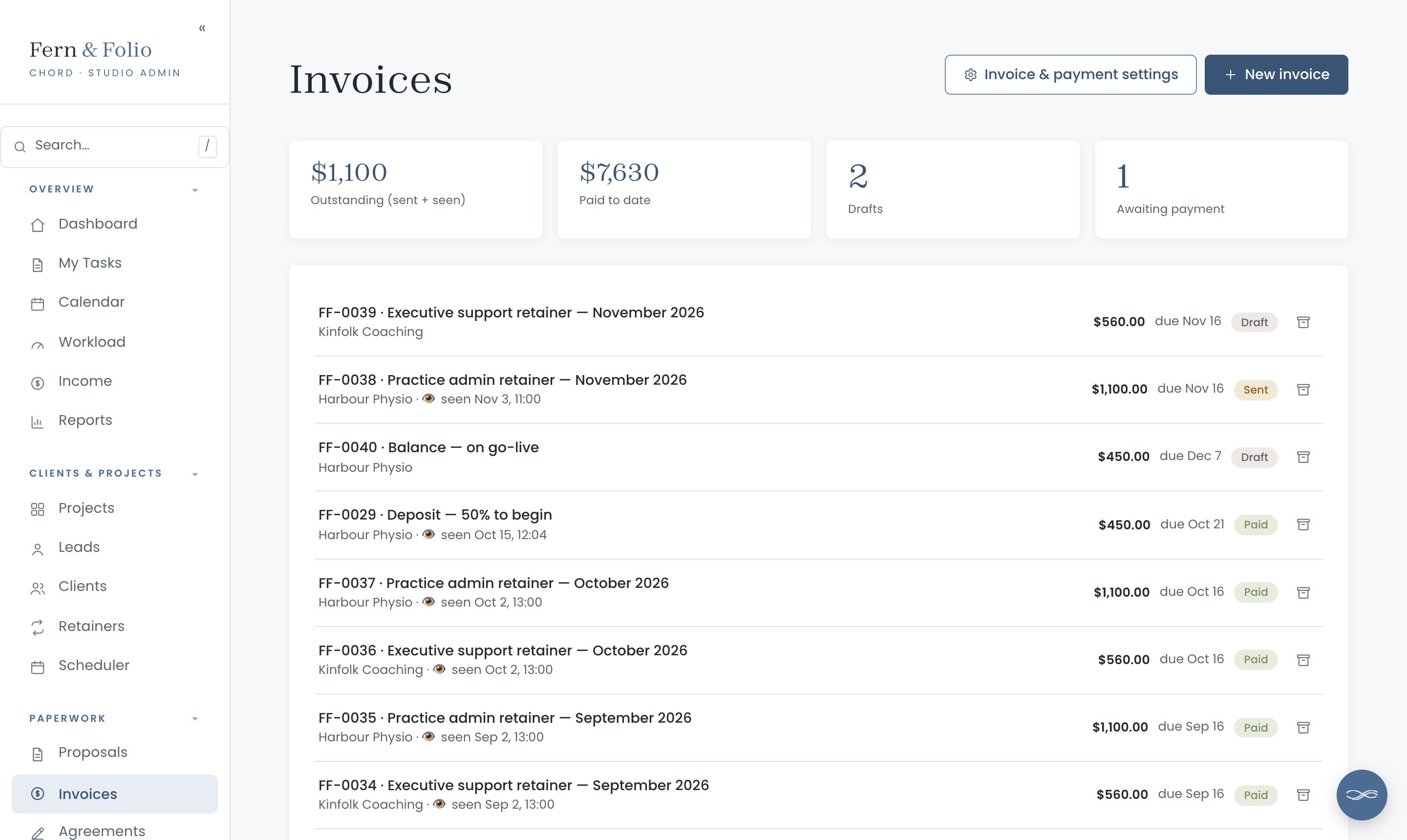
Billing every retainer by hand each month is easy to put off. Switch on auto-billing, and the first time you open Chord in a new month, each retainer’s invoice is ready.

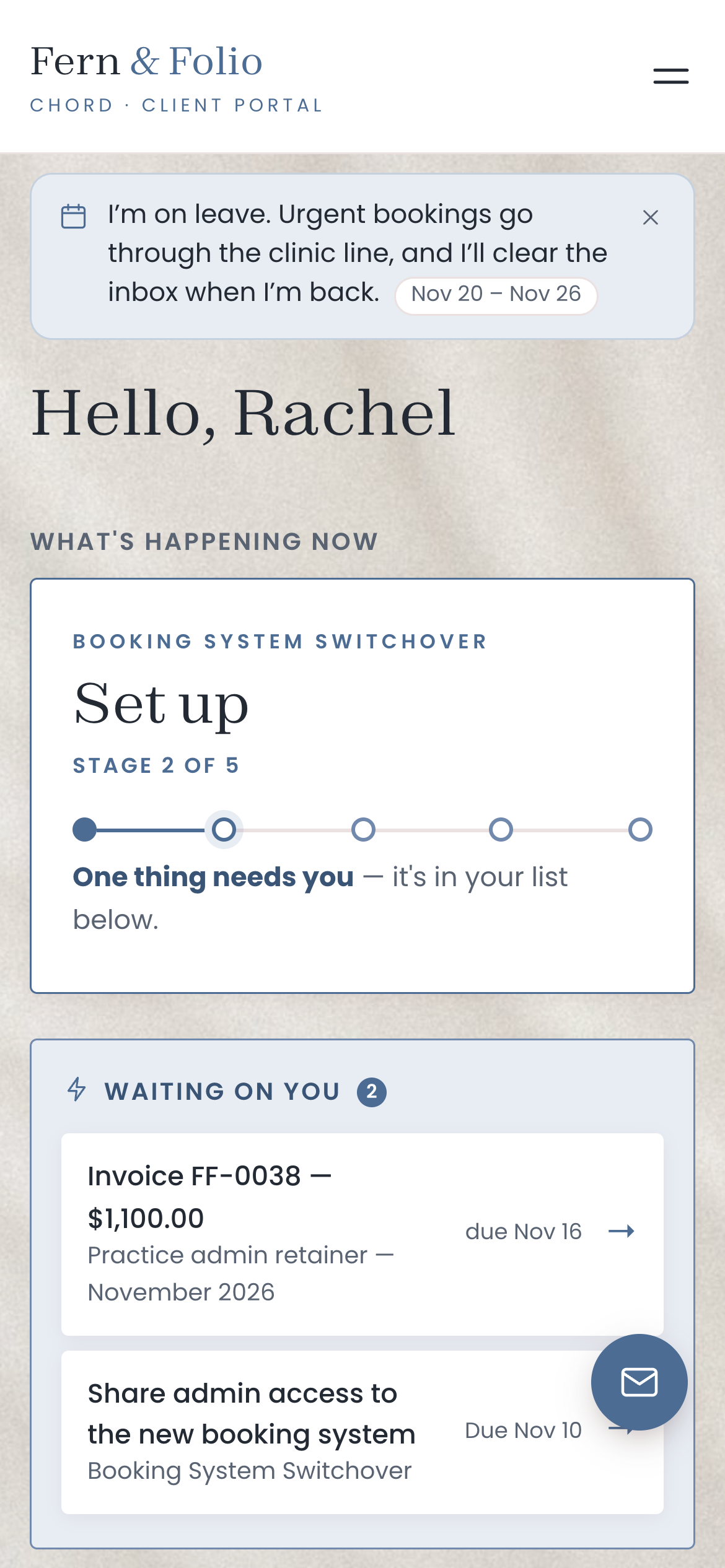
Your clients rely on you, so time off needs planning. In Chord, you write an away notice once, and every client sees it in their portal with your dates.

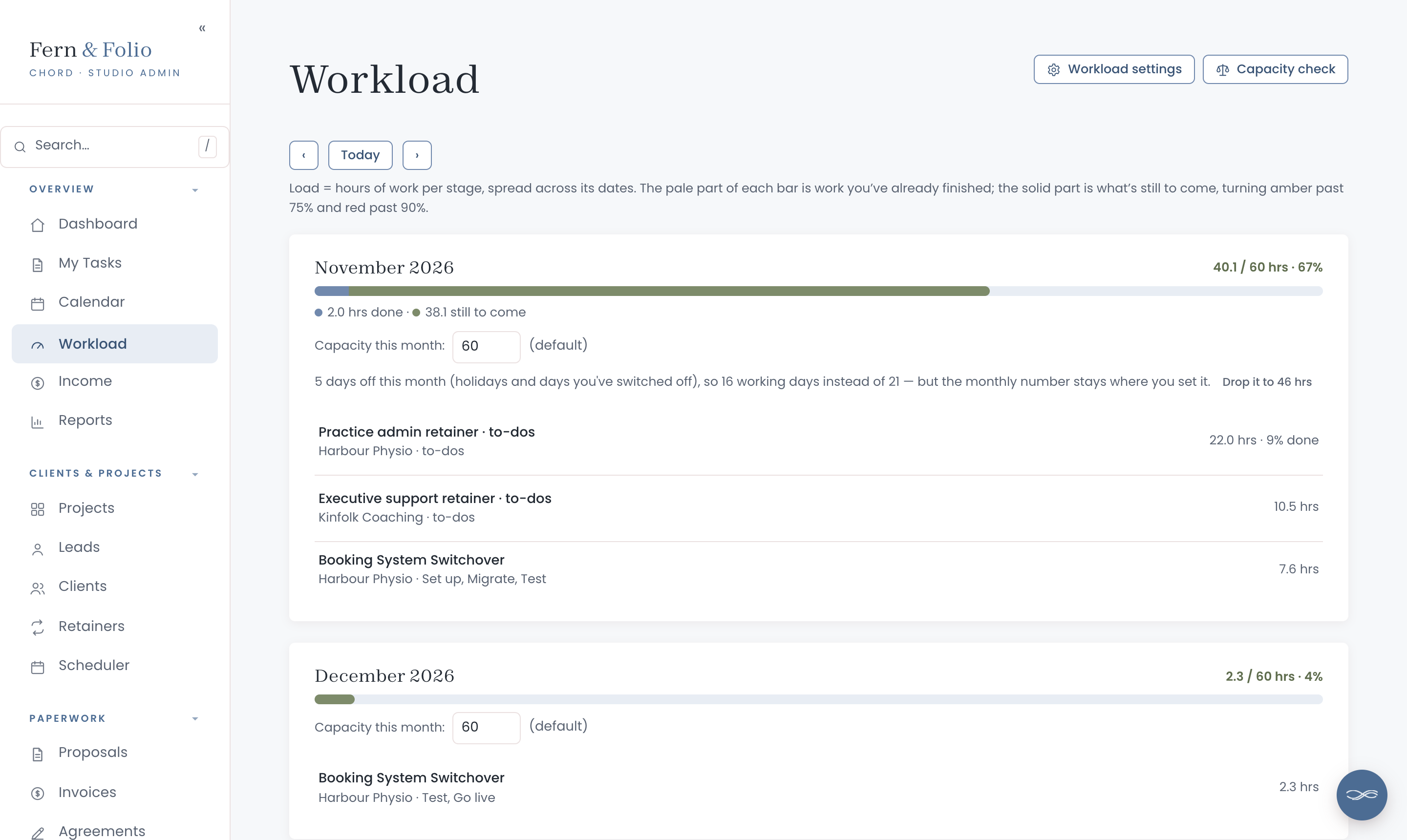
Every retainer to-do and project task has its hours. Chord adds them up against the capacity you set, so you can see how full this month is before you say yes.

Connect Chord to Claude and ask about your studio in plain words. Claude reads what’s in Chord and answers in seconds.
Everything waits in Chord as a draft. You go in, check it and send it yourself.
Claude never emails your clients, and its drafting tools stay off until you switch them on. How to connect Claude
Chord also runs the paperwork around each client, so you don’t need a second tool for it.
Retainers and auto-billing come with Pro. Starter suits one project at a time, and you can switch whenever you like.
For one project at a time, or a quieter season.
For several projects at once, and ongoing retainers.
First month of Pro for US$1 with the code TRIAL at checkout · Cancel anytime · Prices exclusive of applicable taxes.
Yes. Every checklist item and to-do has its hours, and Chord shows the hours each retainer plans this month next to the hours you sold.
Once you switch on auto-billing, Chord raises each retainer’s invoice the first time you open it in a new month. It can wait as a draft for you to check, or go straight to your client.
No. Retainer to-dos are private to you. Clients see their invoices and any tasks you’ve assigned to them.
Write an away notice with your dates in Settings. It shows in every client’s portal three weeks before you go, and disappears when you’re back.
Yes, on both plans. Your logo and colours run across the portal, emails, proposals, contracts and invoices.
They get a branded sign-in link by email that takes them straight into their portal. There’s no password to remember.
Your first month of Pro is US$1 with the code TRIAL at checkout. Cancel any time.
Questions first? Write to hello@withchord.com. A real person reads it.