Chord for copywriters

The CRM for copywriters who’d like clearer feedback.

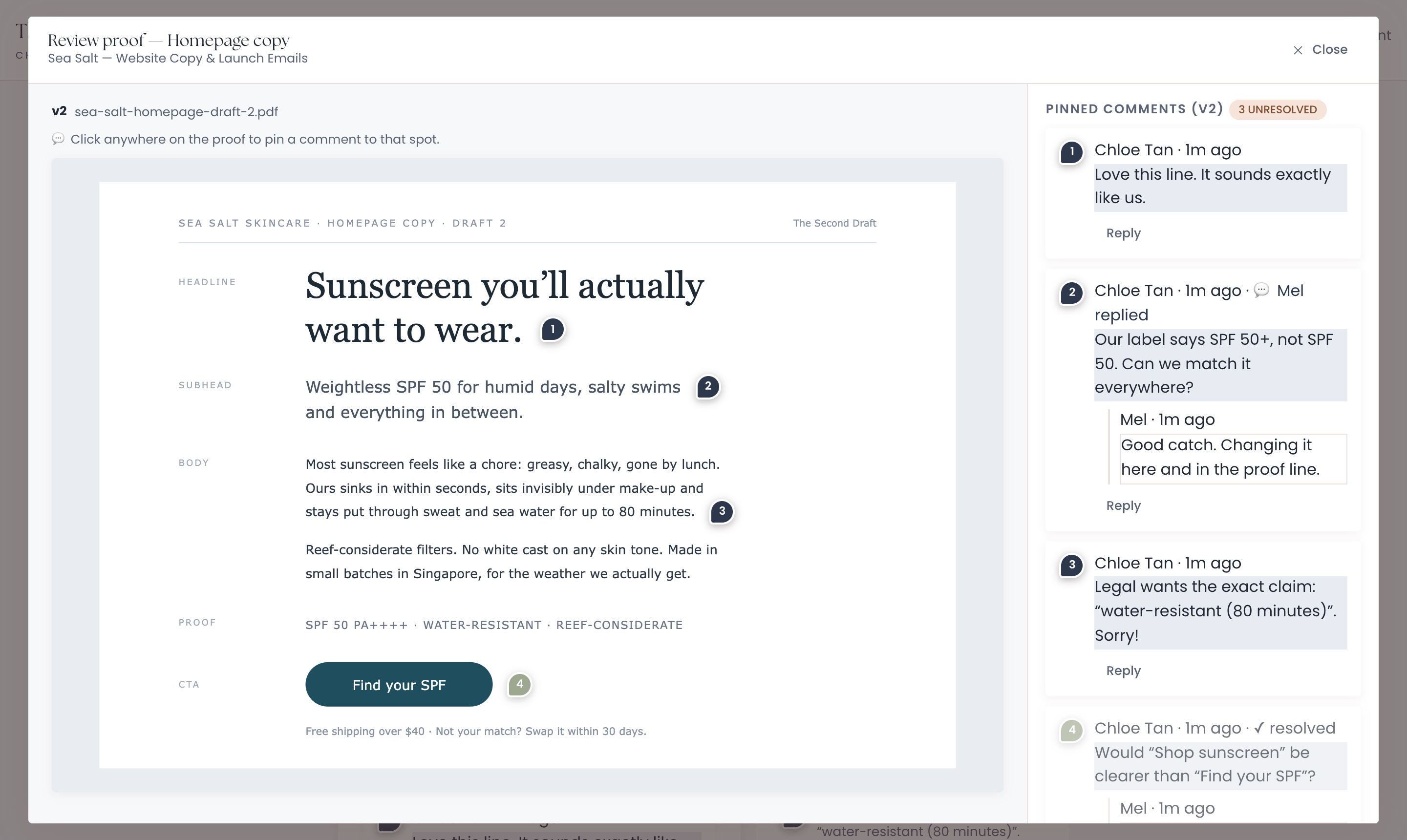
Chord lets your client pin feedback on the exact line, and counts every round of changes so drafts don’t run on forever.

First month of Pro for US$1 with the code TRIAL at checkout · cancel any time

portal · review draft
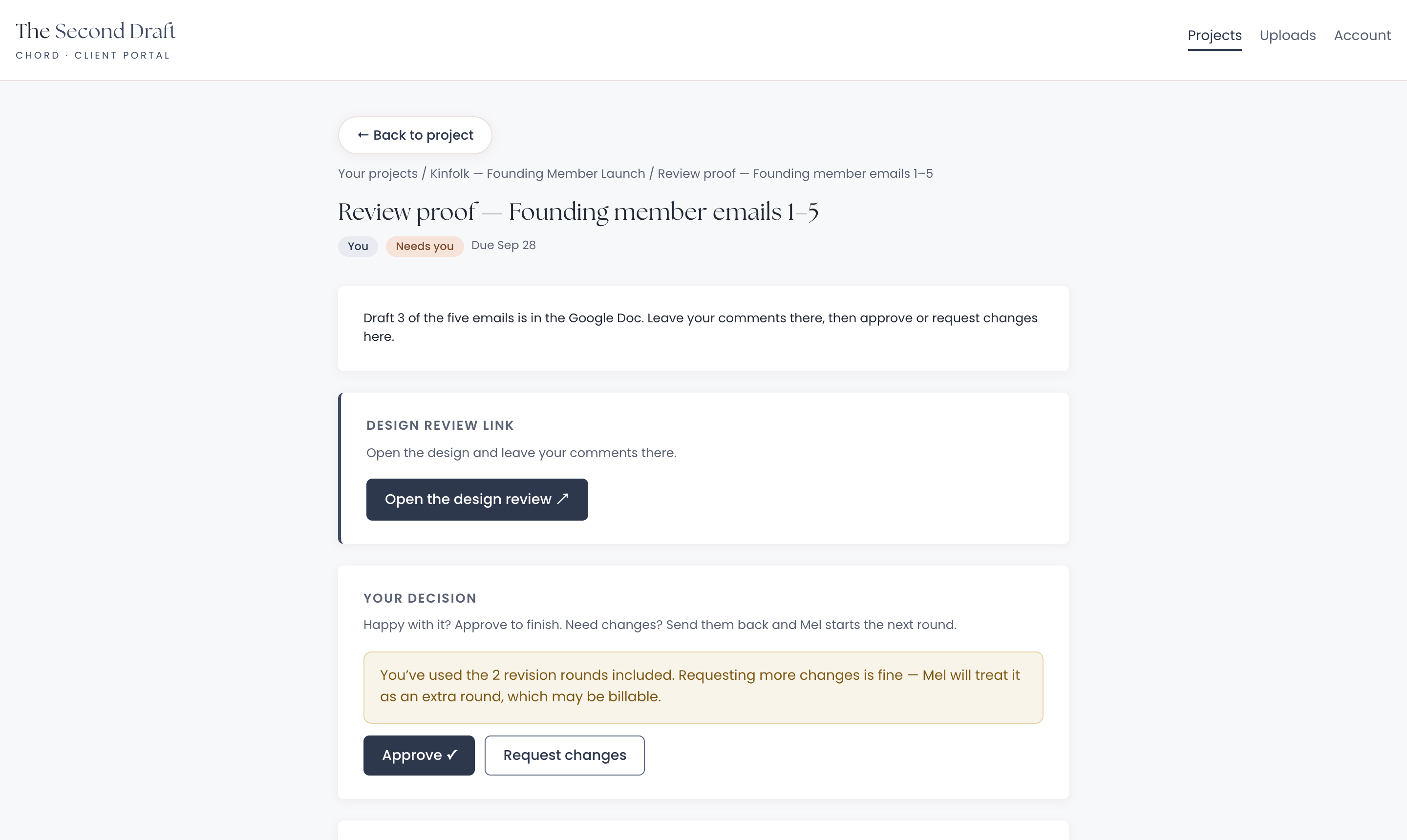
A client’s comment pinned on one line of a draft, with the reply beside it
01 /

Draft rounds with a counter.

One tweak is fine. But the fourth small change in a week turns a two-round project into a five-round one, and nobody is paying for the extra rounds. In Chord, every “Request changes” counts as a round, and your client sees the count.

  • Pinned comments on the exact line of your PDF draft
  • Google Docs links work too. Your client comments there, then approves or asks for changes in Chord
  • A note in writing once the included rounds are used: more changes may be billable
portal · draft rounds
Both included rounds used, so more changes count as an extra round
02 /

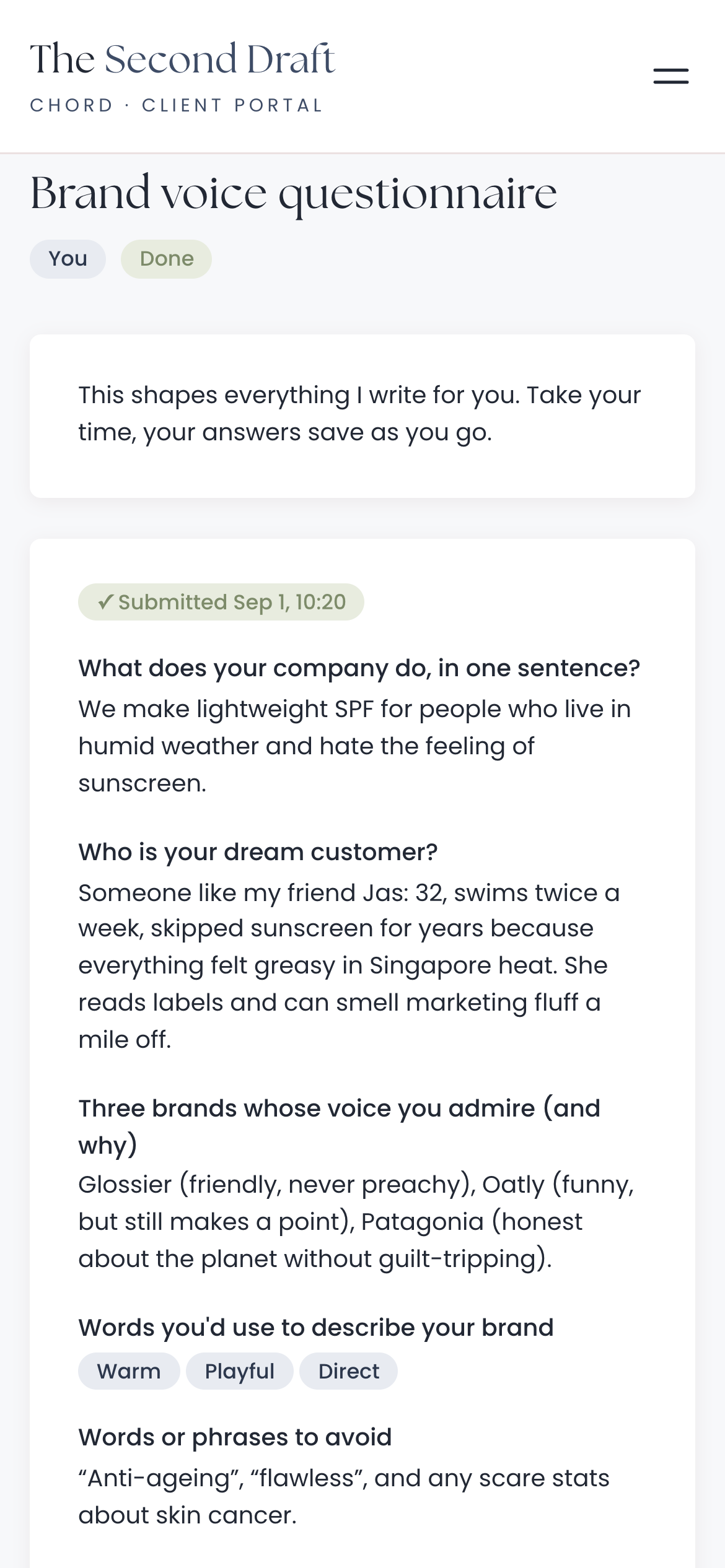
A brand voice questionnaire in your client’s portal.

Good copy starts with your client’s own words. In Chord, you send the questionnaire as a task in their portal, and they can fill it in on their phone.

  • Saves as they type, so nothing is lost
  • An email to you when they submit it
  • Answers kept on the project and the client’s record, so their words are easy to find
A brand voice questionnaire on a client’s phone
Real screen · scroll it
03 /

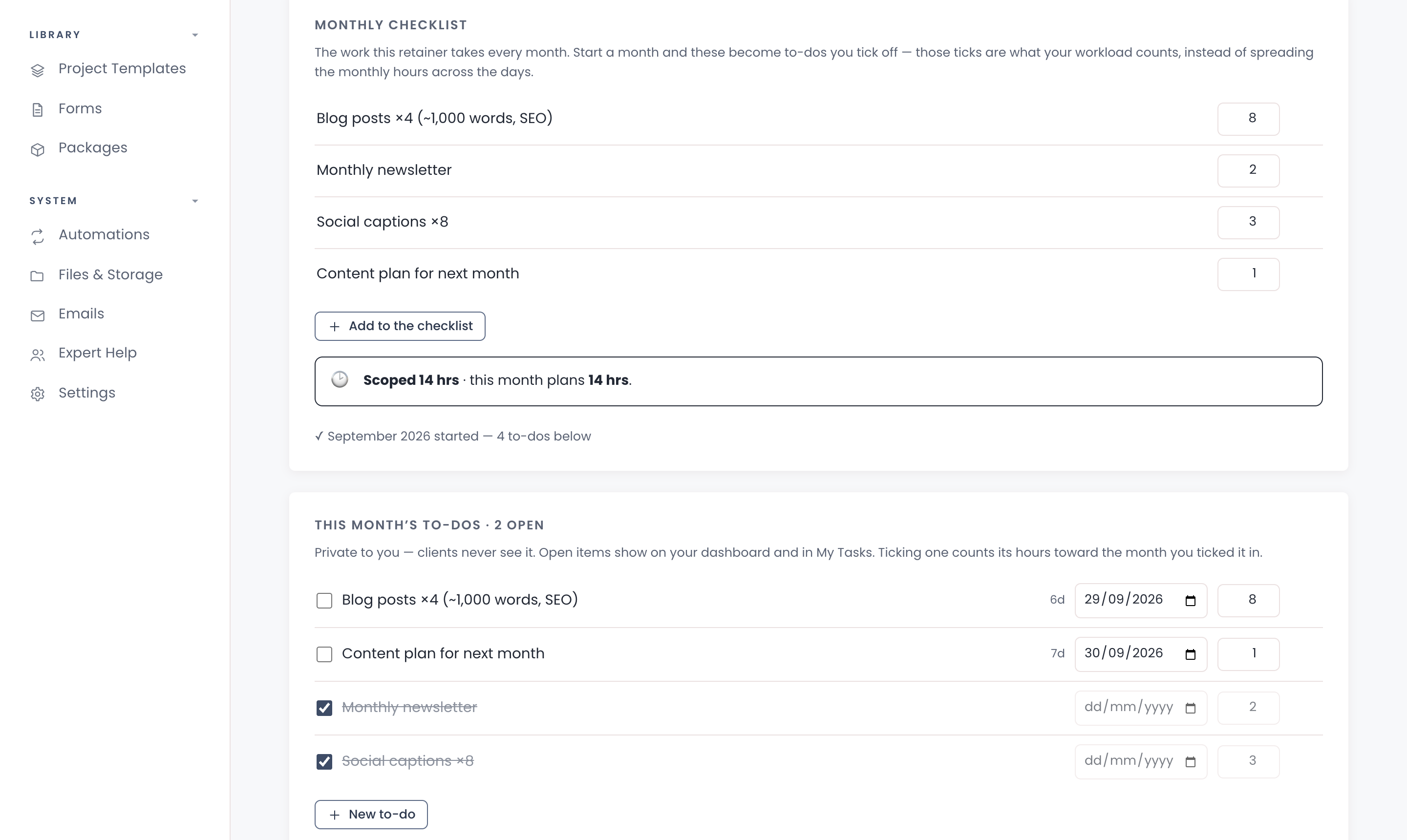
Content retainers with monthly checklists.

Monthly content work is steady income, but it’s easy to lose track of. In Chord, a content retainer has a monthly checklist, such as four blog posts, a newsletter and eight captions, each with its hours.

  • Starting a month turns the checklist into that month’s to-dos
  • Hours sold next to hours planned, so you notice when a client gets more than they pay for
  • Ticked items count towards your workload. Retainers come with Pro
work.yourstudio.com · content retainer
A content retainer’s monthly checklist with the hours for each item
04 /

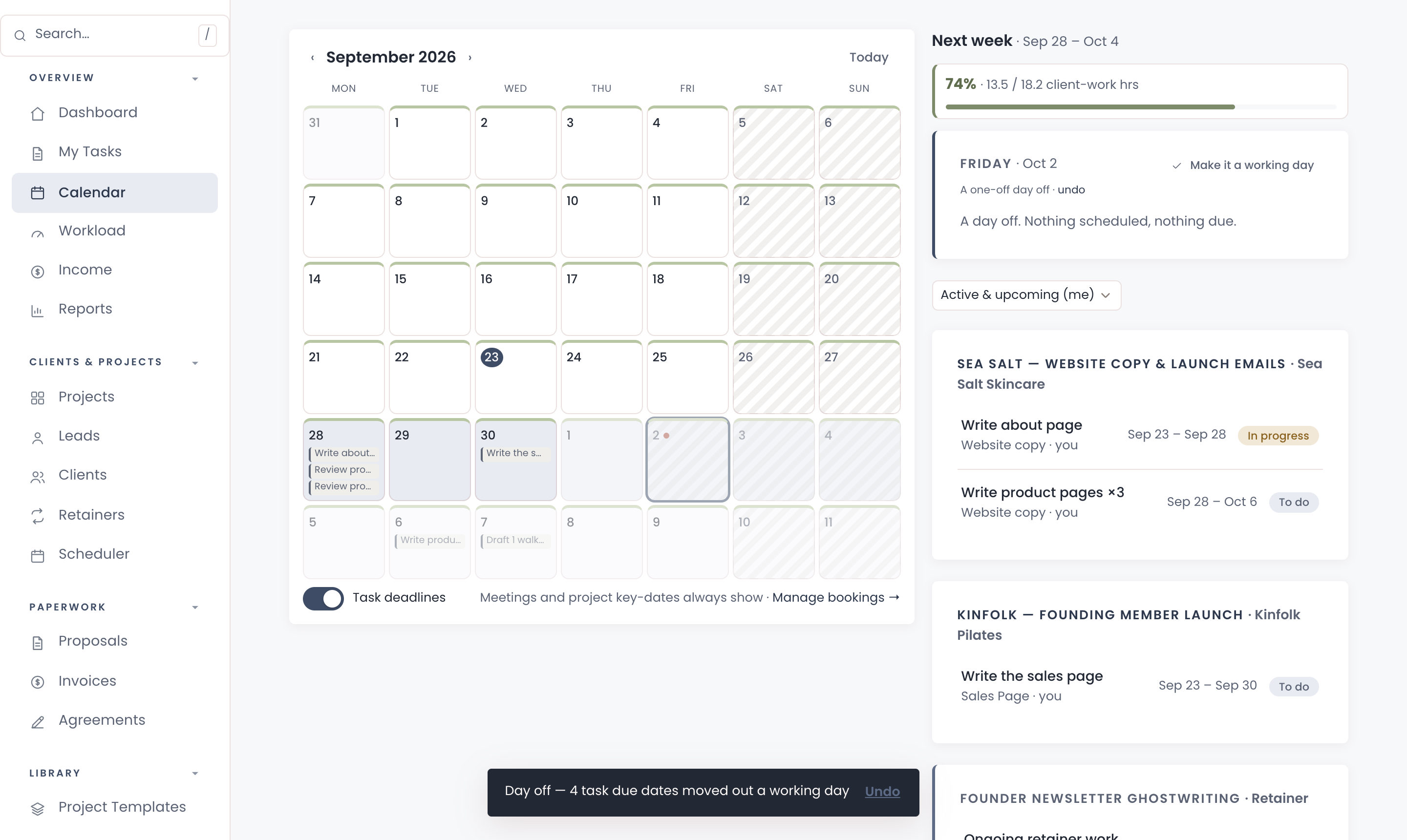
Deadlines that leave room to think.

Some days the headline takes five minutes. Other days it takes the whole afternoon. In Chord, you give each task a length in working days, and Chord works out the dates around weekends, public holidays and your days off.

  • Take the day off from the calendar, and every open deadline from that day moves one working day later
  • Undo it if you change your mind
  • Task dates in working days, worked out from the project start
work.yourstudio.com · calendar
Taking a Friday off, and the deadlines moving with it
05 /

Know if you have room for another client.

Every task has a rough time estimate. Chord adds them up across your work and shows how full each month is, so you can say yes to a new client knowing you have the time for it.

  • A monthly workload forecast in hours, against the capacity you set
  • A traffic-light view that shows at a glance when a week is full
  • An income forecast built from your invoices
work.yourstudio.com · workload
On Pro · Chord + Claude

Get Claude to do the admin work for you.

Connect Chord to Claude and ask about your studio in plain words. Claude reads what’s in Chord and answers in seconds.

Ask what’s happening

  • Where each project is up to
  • Who owes you money, and how much
  • Which clients just commented
  • What a client said in their questionnaire, turned into a starting brief for the project

Let Claude do the first draft

  • Proposals from your own templates
  • Contracts from your contract template
  • Invoices at your package prices

Everything waits in Chord as a draft. You go in, check it and send it yourself.

Claude never emails your clients, and its drafting tools stay off until you switch them on. How to connect Claude

Claude · connected to Chord
Who left comments on my drafts this week?
Three clients. Priya asked for a shorter headline on the sales page. Marcus approved the About page. Juniper left two notes on the welcome emails, both about tone.
Everything in one place

And the rest of your studio, too.

Chord also runs the paperwork around each client, so you don’t need a second tool for it.

Pricing

Priced for every season of your business.

Starter fits one project at a time. Move to Pro when you add content retainers or the projects stack up.

Starter

For one project at a time, or a quieter season.

US$9 / month
  • 1 active project
  • Branded client portal
  • Proposals, contracts & invoices
  • Workload & income view
  • 1 GB file storage for client uploads
Open your studio

First month of Pro for US$1 with the code TRIAL at checkout · Cancel anytime · Prices exclusive of applicable taxes.

Common questions

Questions copywriters ask

Can my client comment in Google Docs instead?

Yes. Add the doc link to the review. Your client leaves comments in the doc, then comes back to Chord to approve or ask for changes, so every round is still counted.

Does Chord charge clients for extra rounds?

No. Chord tells your client when more changes may be billable and flags the extra round on your side. You decide what to bill.

Can I run content retainers in Chord?

Yes, on Pro. A retainer has a monthly checklist with the hours for each item, and Chord shows the hours you sold next to the hours the month plans.

Can clients fill in the questionnaire on their phone?

Yes. It opens in their portal, saves as they type, and Chord emails you when they submit it.

Will the portal look like my brand?

Yes, on both plans. Your logo and colours run across the portal, emails, proposals, contracts and invoices.

Do my clients need an account?

They get a branded sign-in link by email that takes them straight into their portal. There’s no password to remember.
Comparing tools?

The best CRM for copywriters in 2026

Read the guide
Open now

Open your copywriting studio today.

Your first month of Pro is US$1 with the code TRIAL at checkout. Cancel any time.

Open your studio

Questions first? Write to hello@withchord.com. A real person reads it.

Open your studio