Photographers get sold a lot of software. Every tool promises to run your studio, and most of them were designed around somebody else's job — a sales team's pipeline, a coach's funnel, an agency's timesheets. Then you try to fit a wedding into it and discover there's nowhere to put the wedding.
I run a creative studio and I build a client tool, so I'll say my bias upfront: Chord is mine, and it appears later in this post. But the first half is the part I wish someone had written for me — the five things that actually decide whether a CRM works for a photographer, whether you buy ours or anyone else's.
This is written for the photographer working solo or with a second shooter. If you're running a six-photographer studio with a manager, your list might look different.
1. A booking system that makes you faster than your competition
Your leads want three things fast: your availability, your prices, and a date on the calendar. Every email exchanged on the way there is a chance for them to drift to the next photographer on their list.
What you need is a scheduler that offers bookings per session type — a mini session is not the same as a full wedding shoot; they don't have the same duration or intake form. Look for calendar sync that blocks times you're already busy, so a client can never book over an anniversary shoot. And look for a tool that can adapt to the working days you have as a photographer — most tools assume you work Monday to Friday, when you might actually be working a lot of weekends.
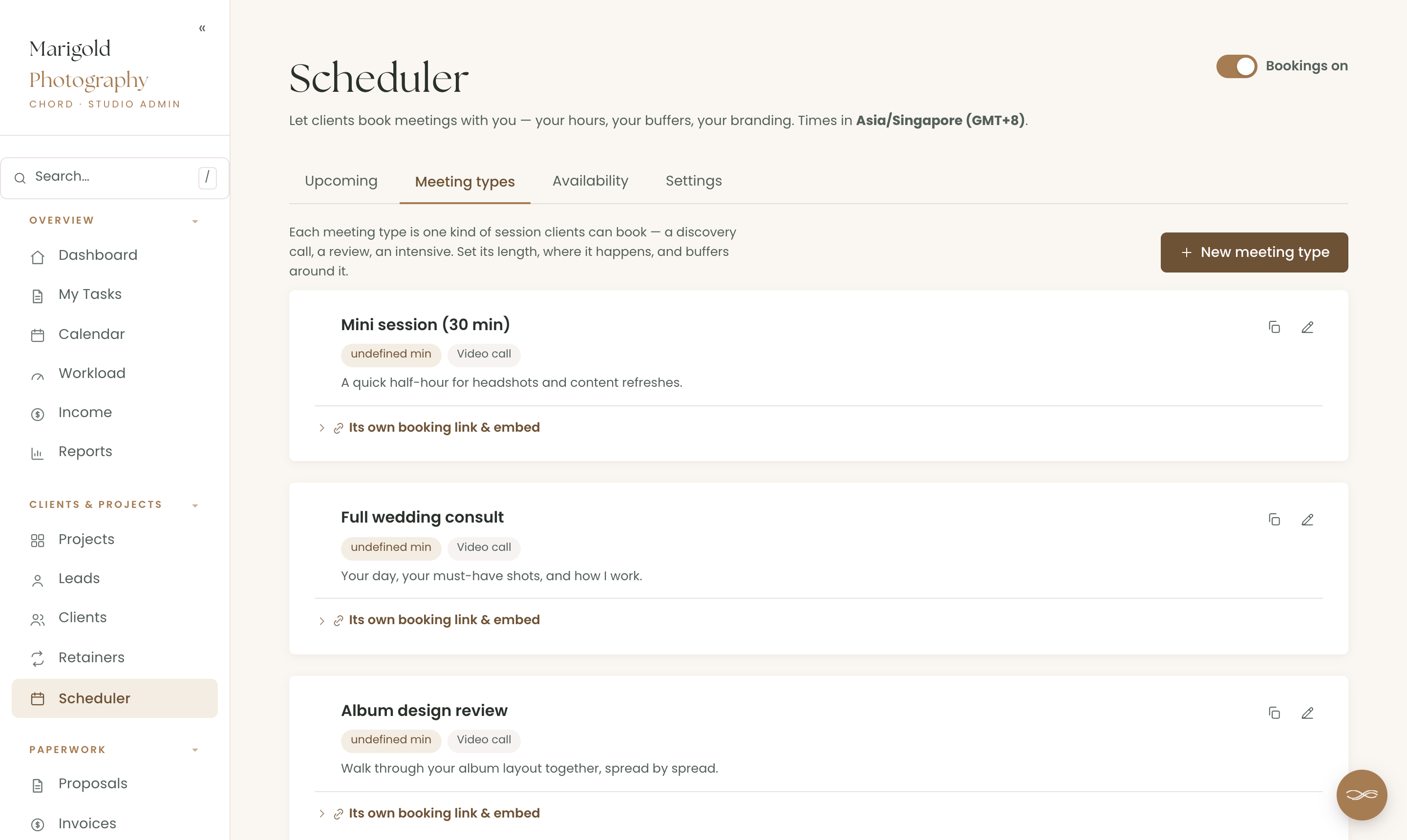
In Chord this is the built-in scheduler: meeting types with buffers, Google Calendar conflict-blocking with automatic Meet links, and a cancellation window. If you already love Calendly or Acuity, you can plug those links in instead — they're embedded within Chord, so everything remains as one system.
2. The shoot day is fixed. Everything should orbit it
Most project tools think in deadlines that can move around. A wedding cannot. The eighth of November is the eighth of November, and every task you own — shot list, venue scout, gear prep, second-shooter briefing — counts backwards from it.
So look for a tool that treats the shoot as an anchor date, builds the prep timeline around it, and reflows the editing deadlines when life happens without ever moving the day itself. Bonus points if it understands your capacity: three weddings in one month is a number you want to see coming in June, not discover in October.
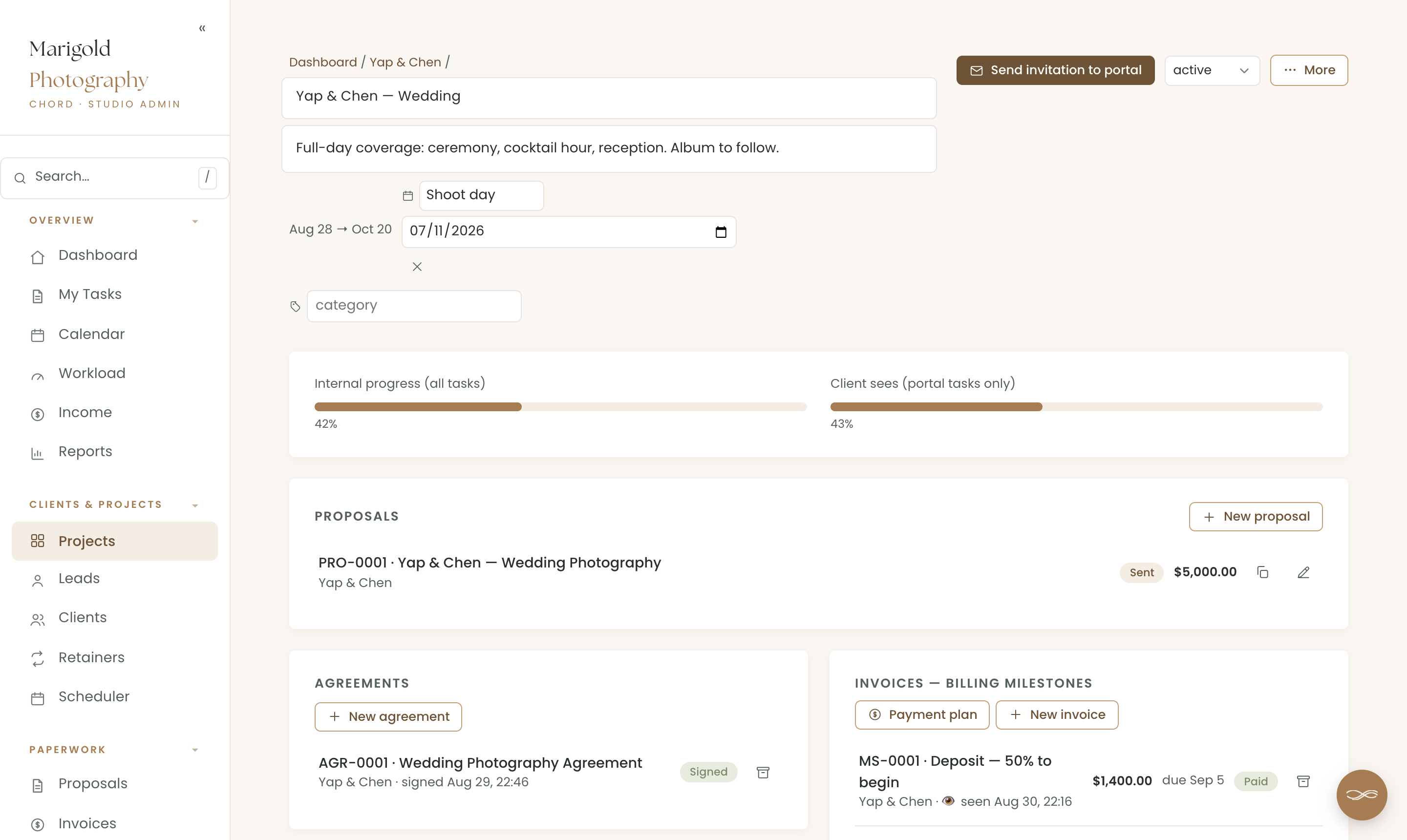
Chord projects take a named key date — "Shoot day", "Engagement session" — with task dates cascading in working days around it. Take a day off and deadlines reflow while the shoot stays put. You'll be able to see how busy your weeks are on any given date thanks to our traffic-light calendar; there's a whole post on running your weeks by traffic light.
3. Protect your edits
Ask a photographer where a delivery went wrong and the answer is almost always the same place: feedback. Selects arrive as a numbered list in one email, corrections in another, "mum blinked in 31" in a text message three days later, and version four of the album layout is in a folder called FINAL-final-2.
This is the sharpest test of a photography CRM: does feedback happen on the work, with rounds that are counted? Generalist tools mostly stop at tasks and notes. Photography-specific ones do better — and if your galleries live in Pic-Time or Pixieset, you want a tool that embraces that rather than fighting it.
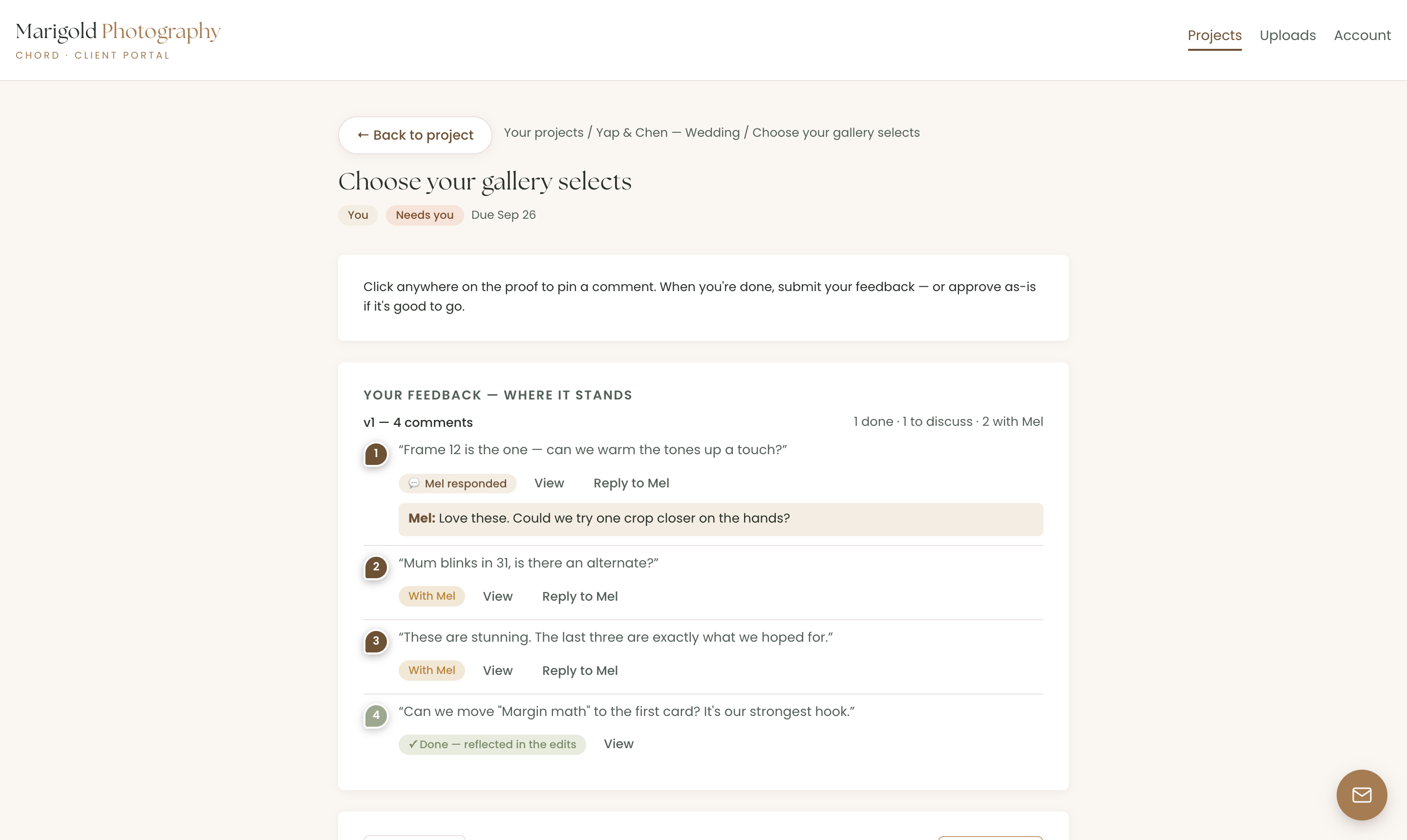
Chord's proofing cycles were built for exactly this. Each deliverable — first-look previews, the album layout, the highlight reel — gets its own cycle with a set number of rounds. Clients pin comments straight onto an image or PDF, or review in an external gallery link and confirm in Chord when they're done. Every round is counted, extra rounds are named as billable before they happen.
4. Never get ghosted again after delivering
A photographer's income has a particular shape: a deposit that books the date, a balance due around delivery, and — if you sell albums or run content retainers — recurring pieces after. A CRM that only knows "send invoice, get paid" makes you recreate that by hand every time.
Look for payment plans with named milestones, automatic reminders so you never chase a balance the week of the wedding, and flexibility in how people pay — cards for some clients, bank transfer or a QR code for others, without the tool pretending only Stripe exists.
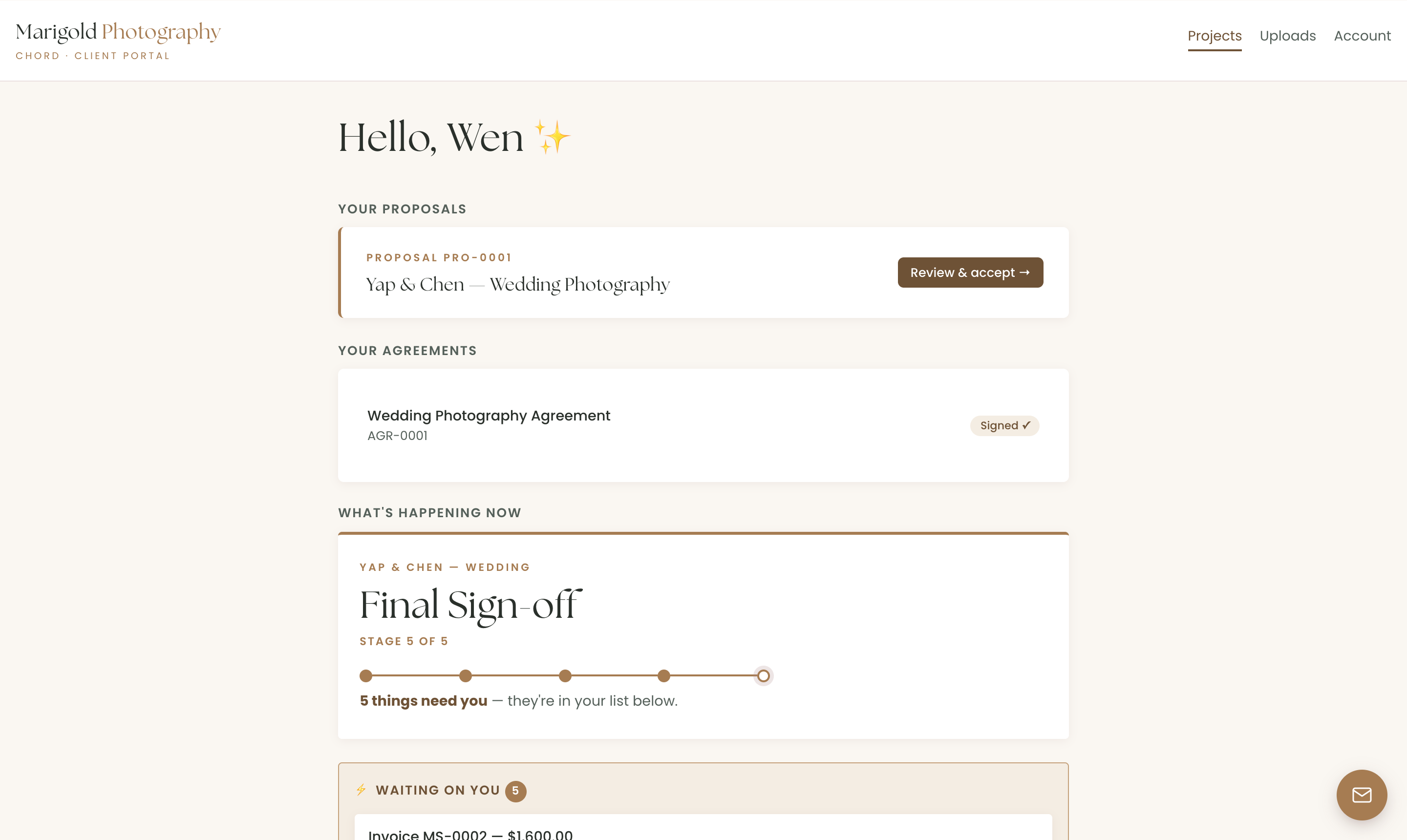
Chord does milestones ("Deposit — 50% to book your date"), polite-but-relentless automatic reminders, card payments through your own Stripe, and a mark-as-paid flow for transfers and QR payments where the client's "I've paid" pings your dashboard for confirmation. Receipts go out automatically, or not, your call. And final deliverables can be gated to the final payment, a feature built specifically for photographers: drop in your gallery link, and Chord holds it until the invoice is paid, then releases it to the couple automatically.
5. A beautiful portal fit for wedding and brand photography
Your photographs are the most beautiful thing your clients will buy all year, and too many of them arrive as a link buried in a Gmail thread. Work like yours deserves a premium client portal: a calm, branded home where the proposal, the timeline and the finished galleries are showcased together instead of scattered across an inbox.
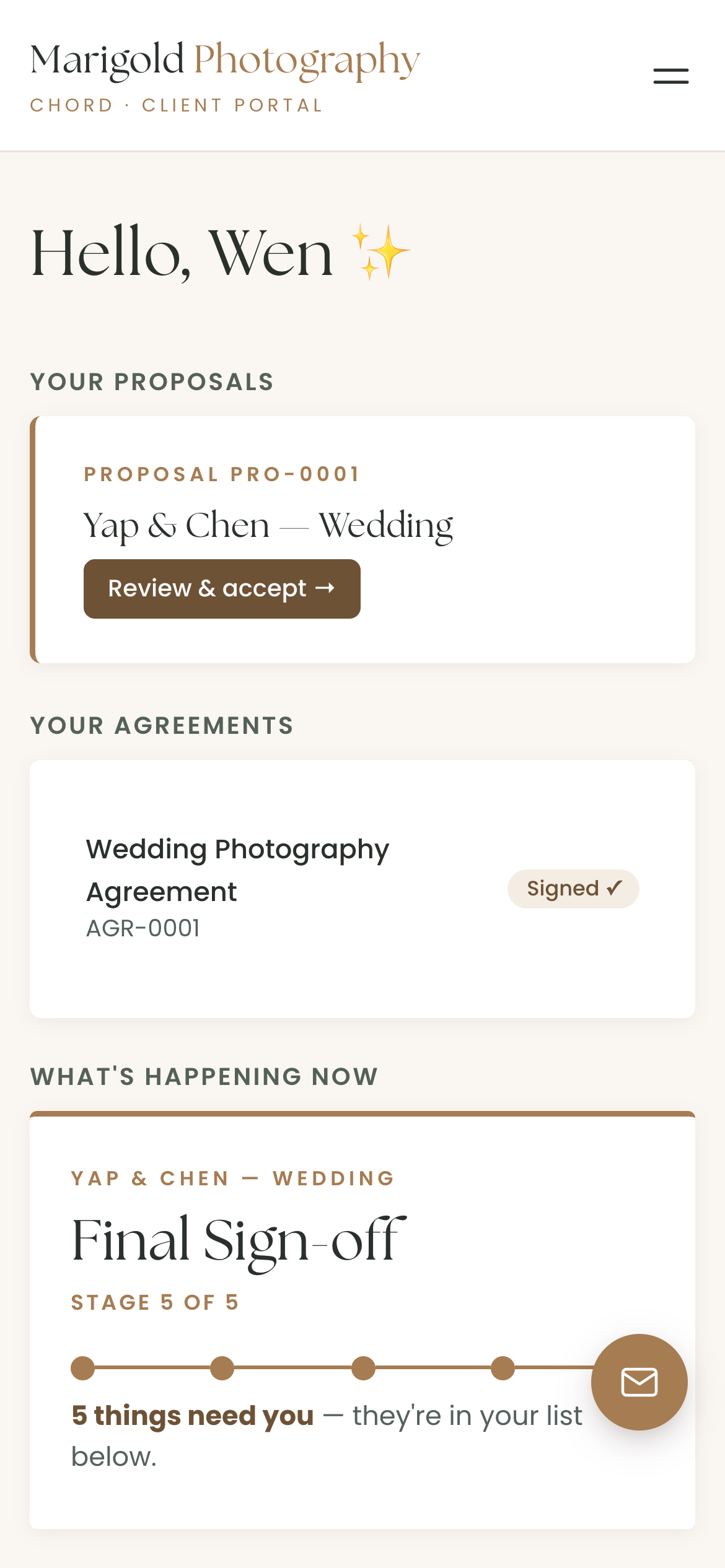
Chord's portal is one calm page per client with one-click sign-in links — no passwords for your couples, ever. They see the timeline, upload their Pinterest boards and family shot lists into colour-coded folders, fill in the wedding questionnaire, and message you through a little concierge button that arrives in your inbox as an email. You see everything in one place instead of nine threads.
The honest comparison
The photography CRM market is genuinely good, and the right answer depends on what you weight. As of writing:
| Tool | Starts at (US$/mo) | Pricing model | Worth knowing |
|---|---|---|---|
| Studio Ninja | $16 | Flat monthly plans | The budget photography-specific pick |
| VSCO Workspace (Táve) | $22 | Flat plans, Solo to Studio | The automation deep end |
| HoneyBook | $36 | Flat plans | Priciest start of the group; US-centric |
| Sprout Studio | $24 | Flat plans | Galleries bundled in |
| Dubsado | $28 | Flat plans (annual rate) | Powerful, famously long setup |
| Chord | $9 Starter / $29 Pro | Flat plans | First month of Pro US$1 with code TRIAL |
Based on published pricing as of September 2026, in US dollars. Check each site for current plans.
Studio Ninja is the simplicity pick — photography-specific, quick to set up, fairly priced, with solid workflows and contracts. If you want the shortest path from spreadsheet to system, it's a fine one.
Táve — now VSCO Workspace after its 2025 acquisition — is the automation deep end. High-volume studios that want every enquiry routed, quoted and followed up automatically swear by it; the trade is a setup project you have to genuinely commit to.
HoneyBook is the most polished generalist, with a big peer community — and the highest starting price of the group. It's US-centric, and because it serves every service business, the photography-specific edges (galleries, shoot-day thinking) aren't where it shines.
Sprout Studio bundles galleries into the CRM itself, which is genuinely convenient if you'd rather not pay for Pic-Time or Pixieset separately — with the caveat that bundled galleries are lighter than the dedicated tools.
Dubsado is the customisation powerhouse, and the tool most often described in the same sentence as "I never finished setting it up." The power is real; so is the mountain.
And Chord is ours: built by a working creative, for solo studios and small teams, around the five things above — anchored shoot days, proofing that ends, milestone money, capacity you can see, and a portal clients open without being asked twice. Galleries stay in the gallery tool you already love; Chord handles everything around them. Setup takes a couple of hours, not a whole week. Pricing flexes with you: start on Starter at US$9, move to Pro at US$29 when you want retainers and the deeper automation, and the code TRIAL makes your first month of Pro US$1.
How to choose
The table above gives you the shortlist, but it can't make the choice. Take your last wedding, start to finish — enquiry, consult, contract, deposit, prep, shoot, selects, album rounds, balance, delivery — and walk it through any tool you're trialling. The CRM that handles your worst feedback loop and your money shape is the right one, whatever it's called.
If you'd like that walk-through to take about ten minutes, start it in Chord.