
You heard about HoneyBook on a podcast. It sounded like everything you wanted: proposals, contracts, invoices and payments in one tidy place. So you opened the sign-up page, scrolled through the country list, and your country wasn't there. If you're now searching for a HoneyBook alternative that works where you live, this post is for you.
You're not doing anything wrong. HoneyBook is simply open in a handful of countries. The good news is that several other tools work almost anywhere, and some of them handle international clients better.
I know the feeling. Back when I ran a wedding stationery studio, I wanted to try HoneyBook myself, and then found out it wasn't available in Singapore. So I turned to other tools instead.
I'll cover where HoneyBook works today, what to check in any tool when you live outside the US, and five alternatives with their monthly prices.
What HoneyBook does well
The Starter plan is US$36 a month, or US$29 if you pay yearly. The scheduler and automations start on Essentials, at US$59 a month. If you live in one of its countries, it's a solid choice.
Where HoneyBook works today
HoneyBook is open to businesses in four countries: the United States, Canada, the United Kingdom and Australia. The UK and Australia joined in May 2026, and subscribers there pay in pounds or Australian dollars.
If your business is anywhere else, you can't sign up. That includes Singapore, Malaysia, India, New Zealand, Ireland, the rest of Europe, the UAE and South Africa. HoneyBook says it's working on more countries, and you can leave your details on its site to hear when yours opens.
What to look for in a HoneyBook alternative outside the US
Most tools are built in the US first, so a few details matter more when you're somewhere else. Check these five things before you start any free trial.
Payments that work in your country. Most tools take card payments through Stripe or PayPal. Stripe works in around 46 countries, and PayPal in many more. Check that yours is on the list before you go any further.
Your currency, and your clients' currency. If you invoice local clients, you need your own currency on every invoice. If you work with clients overseas, find out whether the tool can bill each client in a different currency, or only one.
Your tax, by its local name. You might charge GST, VAT or nothing at all. Look for a tool that lets you set your own tax label and rate. If you need help with tax filing itself, check which country those features are built for.
The ways your clients actually pay. In many places, clients prefer a bank transfer or a QR code over a card. Think PayNow in Singapore or DuitNow in Malaysia. A tool that only offers cards can leave your client stuck, or cost you a card fee you didn't need to pay.
Time zones and dates. If your clients live in other time zones, your booking page should show times in their zone. Your dates should also read the way you write them, with the day first if that's your habit.
Five HoneyBook alternatives that work outside the US
Here are the monthly prices as I write this. Most tools are cheaper if you pay for a year up front.
| Tool | Starts at (US$/mo) | Pricing model | Worth knowing |
|---|---|---|---|
| HoneyBook (for reference) | $36 | Flat plans | Open in the US, Canada, UK and Australia only |
| Dubsado | $35 | Flat plans, 3 users included | One currency per brand; extra brands $10 each |
| Bonsai | $15 | Per user, tiered | Invoices start at $25; tax tools built for the US |
| Moxie | $12 | Flat plans | Can bill each client in their own currency |
| Plutio | $19 | Flat plans | Core plan covers up to 9 active clients |
| Chord | $9 Starter / $29 Pro | Flat plans | Bank transfer, QR and card on every invoice |
Based on published pricing as of October 2026, in US dollars, billed monthly. Card payment fees are extra with every tool. Check each site for current plans and country support.
Dubsado
Dubsado is the tool most people compare with HoneyBook, and it's open internationally. Its own payments run on Stripe in dozens of countries, and it also connects to PayPal and Square. Its forms and workflows go deeper than almost anything else in this price range.
Starter is US$35 a month, and Premier, with the scheduler and workflows, is US$55. Every plan includes three users. Each brand in Dubsado has one currency, so if you want to bill in a second currency, you add a brand for US$10 a month.
Bonsai
Bonsai is strong on paperwork. Proposals, contracts and invoices sit together, and you can invoice in many currencies. It charges per user. The entry plan is US$15 a month, but invoices, contracts and the client portal start on Essentials, at US$25.
One thing to know: Bonsai's tax features are built for people who file in the US. If you're elsewhere, you'll still want your own accountant or a local accounting tool.
Moxie
Moxie is good value, at US$12 a month for one person, and it has time tracking on every plan. It's the most flexible tool here for overseas clients. You set a home currency for your reports, then choose a different currency for each client's proposals and invoices. Payments go through Stripe or PayPal.
The branded client portal starts on the Pro plan, at US$25 a month.
Plutio
Plutio puts projects, proposals, contracts, invoices and a client portal in one app. The Core plan is US$19 a month and covers up to nine active clients. For unlimited clients and team members, you need Pro, at US$49. Clients pay by card through Stripe, or through PayPal.
Chord
And then there's Chord, which I built. I run a creative studio in Singapore, so please weigh this part with that in mind.
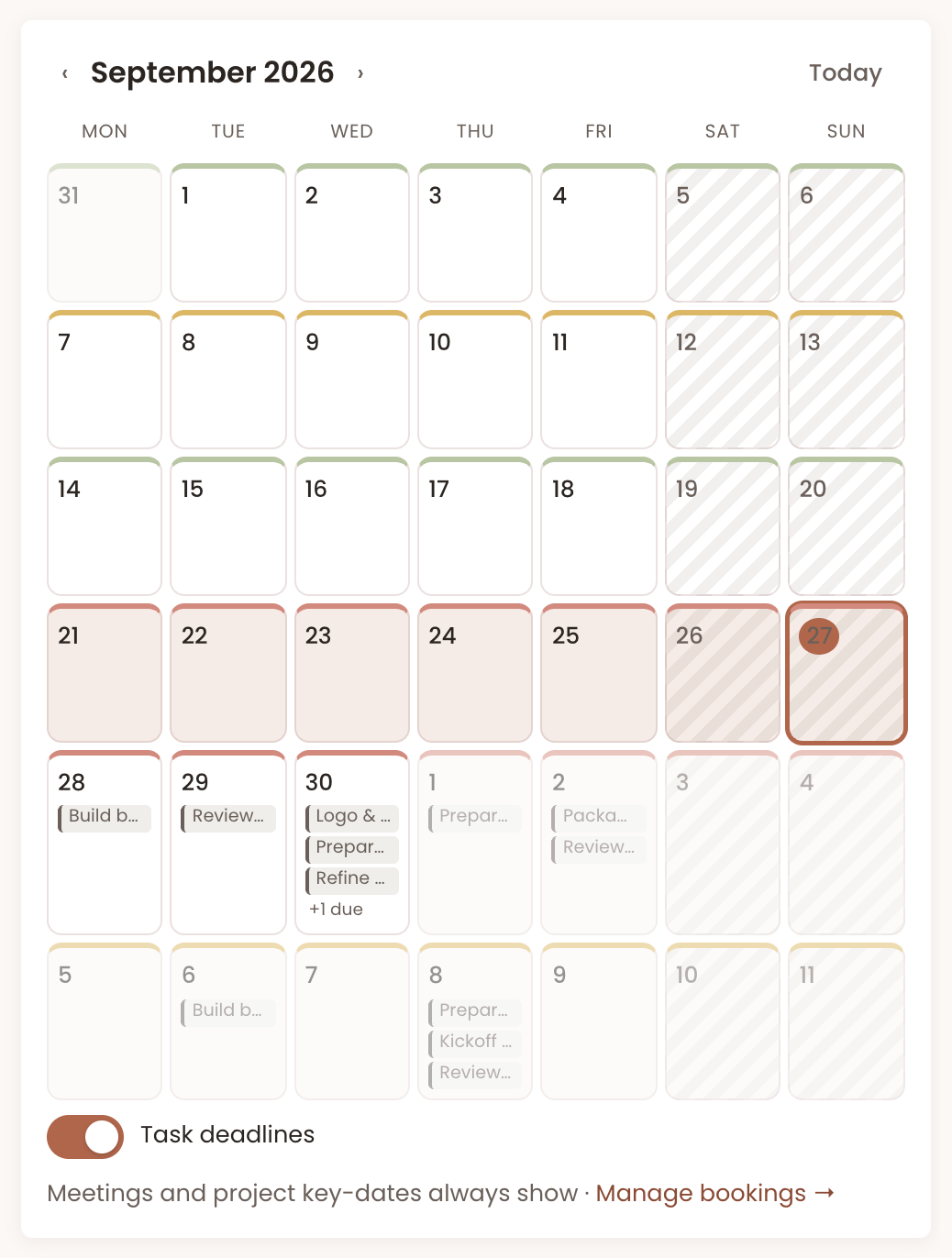
The biggest difference is that Chord protects your boundaries. When a client asks for something outside the agreed scope, Chord helps you say so clearly, before the extra work becomes free work. It gives each of your weeks a traffic-light colour, so you can see at a glance when you're full and when you have room. And it forecasts your income and workload, so you know what's coming before you say yes to the next project.
It also gives your clients more ways to pay. Every invoice can offer up to four options: card through your own Stripe account, a payment link such as Wise or PayPal, your payment QR code, and a bank transfer. Your client picks the one they like. For a QR code or a transfer, they upload a screenshot of their receipt, and you mark the invoice paid.
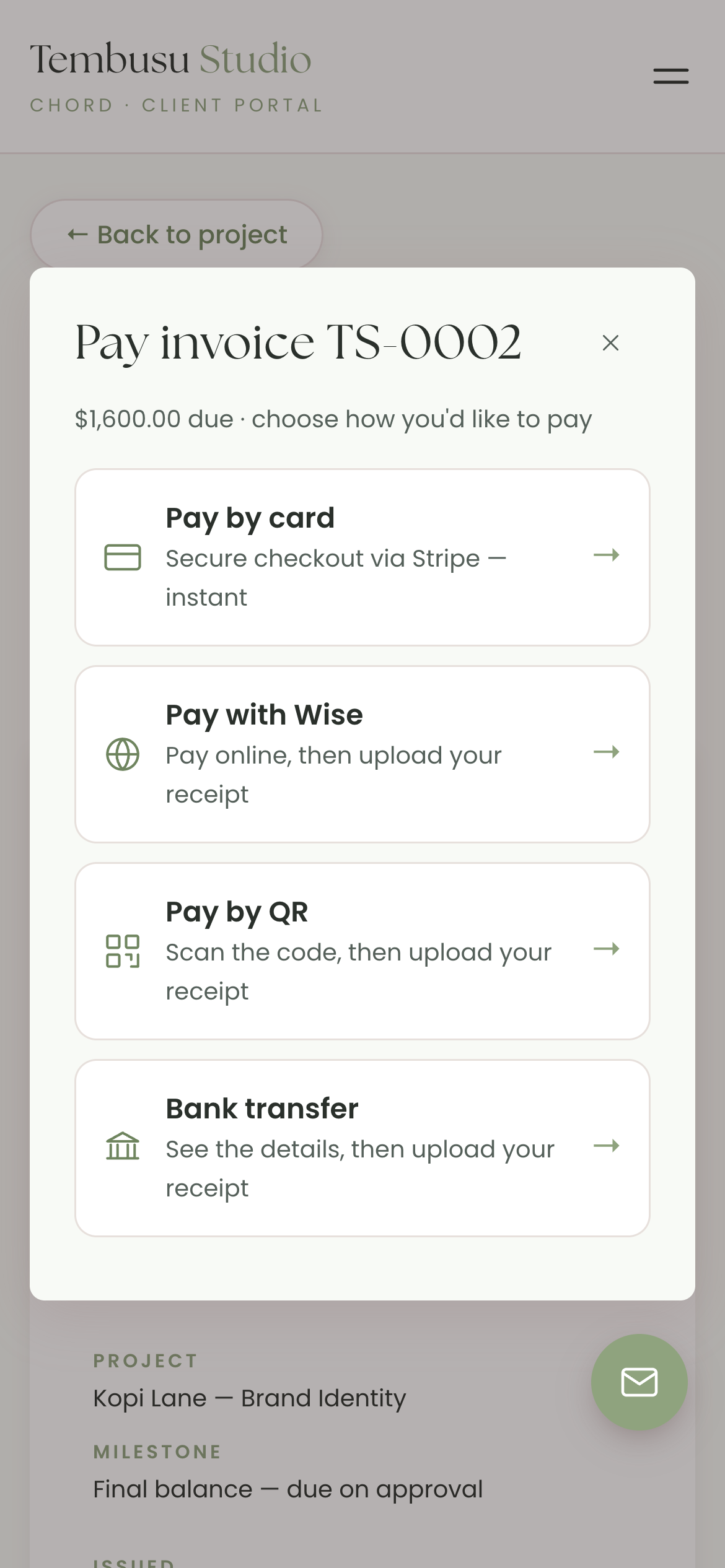
If Stripe doesn't work in your country yet, you can still use the other three. And Chord takes no cut of your invoices. You only pay your payment provider's usual fees.
The local details are in your settings. You set your own tax label and rate, so your invoices say GST or VAT. You choose your date format and the month your financial year starts. You can name the law that governs your agreements, and Chord can suggest your public holidays for 18 countries, which you confirm one by one.
Your booking page shows clients the open times in their own time zone. And your clients sign in to their portal with an email link, so nobody needs a password.
Starter is US$9 a month for one active project at a time. Pro is US$29 a month for unlimited projects, plus retainers and reports. You can move between the two whenever your workload changes.
Now the honest gaps. Chord bills in one currency per studio, from a short list that includes SGD, USD, AUD, GBP, EUR, CAD, NZD, MYR and HKD. If you bill each client in their own currency, Moxie suits you better. Chord is also built for one person, so there are no team seats. And it doesn't do accounting or tax returns, so you'll still need your accountant or a local accounting tool for that.
How to decide
The table gives you a shortlist, but it can't choose for you.
Start with payments. Check that the tool's payment provider works in your country, and that your clients can pay the way they prefer. If that fails, nothing else matters.
Then try your top two with a real project. Use your most recent client, with the real proposal, the real invoice and the real currency. A week of that will tell you more than any comparison.
Pick the tool that made your last project feel easiest. Then stop deciding, and get back to the work.
If you'd like to try that in Chord, you can set up your studio in an afternoon.